
 Home
Home![[Windows Logo]](/icons/windows.svg) Desktop Applications
Desktop Applications![[Globe]](/icons/online.svg) Online Applications
Online Applications About
About![[Mail]](/icons/contact.svg) Contact
Contact![[Text]](/icons/blog.svg) Blog
Blog![[RSS]](/icons/rss.svg) RSS
RSS![[lightbulb]](/icons/lightbulb.svg)
 In the past year or two, there has been a shift on the web to disable TLS 1.0 and 1.1, with sites preferring TLS 1.2 or higher. StorURL is built on the older .NET 3.5 framework for maximum compatibility with systems as low as Windows XP all the way up to the latest versions of Windows 10. Unfortunately, this version of the framework does not have native support for TLS 1.2 and higher. Microsoft has released a patch for this, but it seems that it does not always get deployed via Windows Update. I did not realize this when implementing support for TLS 1.2 in the code, as it worked on all of my initial test systems. As I have encountered more systems, it appears that there is a reasonably large number of Windows computers out there that did not automatically receive this patch through Windows Update.
I have created links directly to the necessary patch from Microsoft in the Prerequisites section of the StorURL application page. If you are having problems launching the latest versions of StorURL, this is most likely the issue you are running into. There is a different patch download depending on if you are using Windows 7 or Windows 8/10, so make sure you grab the correct one.
If you have installed this patch, and you are still unable to launch StorURL, please get in contact and I'll hopefully be able to help troubleshoot and resolve the problem.
In the past year or two, there has been a shift on the web to disable TLS 1.0 and 1.1, with sites preferring TLS 1.2 or higher. StorURL is built on the older .NET 3.5 framework for maximum compatibility with systems as low as Windows XP all the way up to the latest versions of Windows 10. Unfortunately, this version of the framework does not have native support for TLS 1.2 and higher. Microsoft has released a patch for this, but it seems that it does not always get deployed via Windows Update. I did not realize this when implementing support for TLS 1.2 in the code, as it worked on all of my initial test systems. As I have encountered more systems, it appears that there is a reasonably large number of Windows computers out there that did not automatically receive this patch through Windows Update.
I have created links directly to the necessary patch from Microsoft in the Prerequisites section of the StorURL application page. If you are having problems launching the latest versions of StorURL, this is most likely the issue you are running into. There is a different patch download depending on if you are using Windows 7 or Windows 8/10, so make sure you grab the correct one.
If you have installed this patch, and you are still unable to launch StorURL, please get in contact and I'll hopefully be able to help troubleshoot and resolve the problem.The home of StorURL, TrueIP, SMTP Mail Sender and many other freeware tools

 Are you or someone you know considering ordering solar panels or a solar roof from Tesla? If so, consider using my
  Howdy! Are you going on a cruise soon? Do you struggle to figure out which excursions you want to do in each port of call? Do you wonder how to best allocate your time when in port for a long time? My new tool will help you do that. It builds out a helpful table from the excursions you are interested in, and you can check to see what overlaps, and what doesn't. From there, you can mark your favorites and figure out how much it's going to cost for each port.

 My music collection is strewn all over my various hard drives, and I've been required to bring along all of my external drives every time I travel to/from my job, now that I am back in the office a few days a week. It was frustrating to lug those around regularly, and so I worked to migrate all of my music to my internal storage on my laptop. One drawback to this process was that some of my music was already on the internal storage, but those same files also existed on my external drives, which were really hold overs from my previous computer that I never merged. Because of this, when I migrated all my music together into a single Winamp playlist, there were a lot of duplicates. While it doesn't make a big difference if the same song is on a playlist of 3000+ songs, it annoyed me when it would play the same song twice in a short period of time when on random, just because it was in the list twice. Just like that,
 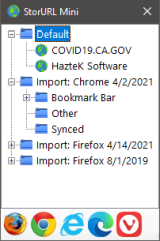 StorURL has a popular feature called Tree View mode which lists all bookmarks in a simple tree structure that is easy to navigate. Because it was so popular, but slightly annoying to use within the application itself, I came up with this new solution:
 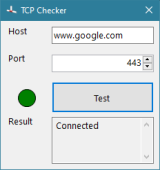 I recently needed to test whether a TCP connection could be made between a monitoring server and one of the servers it is monitoring. Because of limited visibility into IP routing and firewall rules, I was unable to verify what was causing the connection issue it was having. The monitoring server didn't have a telnet client installed on it, so I was unable to quickly use that to verify whether a socket connection was possible. Since I didn't have admin rights to install the client, I whipped up this little portable tool called
  When developing websites or applications, sometimes you want to match colors or even just figure out what color is being used. There are many tools out on the market, both for pay and for free that will let you select any color on the screen and display its properties.